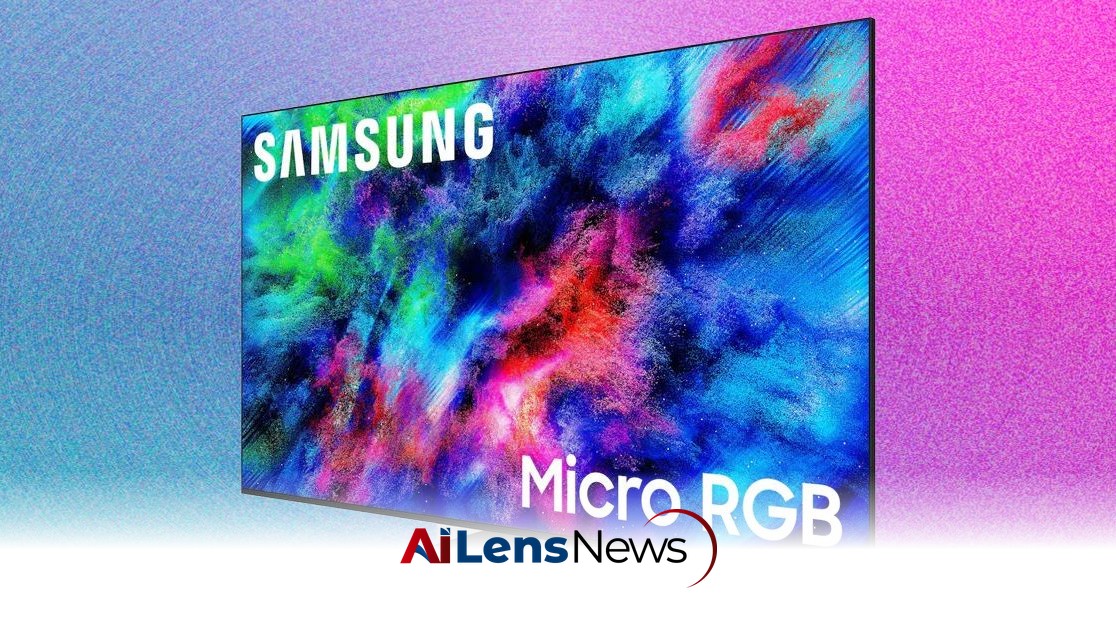


Samsung's Micro RGB R95H model offers a decent performance but falls short in picture quality compared to competitors, especially at its price point.
Washington DC, United States Jul 11, 2026 ALN: With any new television you set up, you want the colors to pop, the surround sound to boom, and the overall experience to mimic that of a movie theater. This is especially true with new mini RGB televisions, which use red, green, and blue pixels to produce a more vibrant display than the white or blue light of a traditional LED or OLED TV. Micro RGB TVs should bring vibrant color and excellent contrast to moody horror films and bright, fast-paced soccer games alike.
Instead, Samsung’s Micro RGB R95H is a really good television that doesn’t offer the precise picture-quality controls and other forms of pop and boom as its competitors do. At $3,200 for the 65-inch model, the Samsung R95H just can’t compete with the superior LG Micro RGB Evo. (The smallest LG size is 75 inches and is priced at $4,500; the 75-inch Samsung R95H also retails for $4,500.) Apart from that disparity in size availability, Samsung’s anti-glare tech proved to be an Achilles’ heel, making movies and some video games look too subdued.
Setting up the R95H television is easy and quick, thanks in part to its single pedestal foot that snaps into place in about 10 seconds and doesn’t require screws. Because the TV has a single foot, as opposed to two legs at its edges, I was able to place it atop a smaller hutch. The sides of the 65-inch model stuck out like airplane wings, but the TV was completely stable.
On the side of the R95H television, there are four HDMI ports, including one that is dedicated to gaming (it even has a small video game controller icon) and one for HDMI eARC pass-through audio to a soundbar or AV receiver. There’s also a coaxial connection for cable TV or an antenna, digital optical, two USB ports, and an Ethernet port for a connection. Like the Hisense UR9 RGB MiniLED, the R95H uses Wi-Fi 6E, which is faster than Wi-Fi 6.
You can also add the Wireless One Connect box—Samsung’s wireless set-top box that connects from about 30 feet away—to add even more external HDMI ports and other connections, like USB. The main advantage of doing so is that it allows you to skip the ports on the R95H itself, which is nice for eliminating cable clutter and also for having a clean wall-mount aesthetic.
Samsung uses its own operating system, called Tizen OS, even though I wish it would switch to the more intuitive Google TV, as Hisense and Sony have. Netflix didn’t install and gave me an error (Samsung is looking into the issue), so I ended up testing that app using a Google TV streamer. While the Samsung Frame Pro 2026 did not require me to use the Samsung SmartThings app during setup, I did have to use the app to add R95H and then go through a two-factor authentication process.
On the positive front, I loved using the remote. It’s far more intuitive to use than the LG, Hisense, and TCL remotes that come with their new mini and micro RGB televisions. The R95H remote has fewer buttons, appearing almost like the minimalist Apple TV 4K remote. The Home button is centered, so it’s easy to find in the dark, although there’s no backlighting. I didn’t like that there are separate AI and mic buttons, since those concepts are merging. The AI button navigates to a screen that explains AI features, while the mic button starts Samsung’s Bixby or Amazon’s Alexa+ bots, depending on which one you want to use.
Benchmarks don’t lie, or at least that’s the theory. We all see colors differently, and we respond to contrast and brightness based on our own visual perception. While the R95H met all of the BT.2020 color gamut specs, results of the Spears & Munsil Benchmarks made clear that the R95H’s performance is not as outstanding as that of competitor LG Micro RGB Evo. I could tell skin-tone variance on the Samsung was not quite as obvious: two people who don’t look that similar, complexion-wise, looked about the same on the screen.
Picture-quality settings didn’t help that much. Dynamic mode (which other TV makers call Vivid) caused some color blooming and bleeding, and Filmmaker mode made the skin tone scene too dark. The AI picture setting worked the best, especially for soccer, but most of the tweaks related to contrast and brightness didn’t help as much as they did on the LG.
Similarly, the demo reel tests were not as impressive as I would have expected for new display tech. The green grass behind a wooden fence was not as bright as I would have liked for a premium TV. The white mist over a snowy mountain was clearly visible but a little washed out. Picture modes and tweaks to white balance, brightness, and color temp didn’t help that much, either.
The actual LCD screen and anti-glare tech that Samsung uses on the R95H made this TV less susceptible to picture-quality tweaks than the LG or Hisense RGB models I tested. On the LG Micro RGB Evo specifically, simple tweaks to color temp and white balance had a more noticeable impact on picture quality, as did most picture modes. For example, using Vivid picture mode improved the benchmark tests, while Dynamic mode on the R95H didn’t move the needle.
In testing the R95H, I learned that color processing is hugely important on micro RGB televisions as opposed to OLED televisions, because the colors have to be constantly rendered.
My movie testing started with a thud: The moody movie Awake on Netflix looked too dark and washed out. Standard mode helped only a bit, but upping the brightness just added more gray. More shadow detail also improved the visuals, but this capability was buried in the expert settings.
The movie The Creator (which also has very dark scenes) looked a bit more colorful, especially during a predawn home invasion scene. Tron: Ares on Disney+ had deep blacks and reds, which looked too bright on Dynamic mode and too dark on Filmmaker mode. Hoppers on Disney+ also looked dark, moody, and gray, when it was supposed to be bright and colorful. When bluebirds flew onto tree branches, the scene looked drab rather than its intended shocking blue. Project Hail Mary on the Fandango at Home app has a scene with rings around a planet, but once again, the blues appeared dim, not brilliant. That same scene on the LG and Hisense RGB models had a stunningly bright look.
Streaming the first Dune movie over HBO Max to the R95H using Google Cast from my iPhone 17 Pro didn’t work and gave me an error (which Samsung reps are investigating), but it did work over Apple AirPlay. Streaming the movie Americana from Hulu on my iPad 12.9 worked fine.
The Samsung R95H performed OK but not great for video games, sporting events, and news programs compared with other mini RGB models.
This TV supports a 120-Hz refresh rate for the Xbox, with an excellent response time and low latency, helping Subnautica 2 on Xbox Series X look impressively vivid. Forza Horizon 6 on the Xbox tested well, showing a smoky haze over a distinct and colorful mountain highway in the distance. The anti-glare tech helped add some realism to this racing sim, making a white BMW M5 look less like a plastic car on a fake track. Senua’s Saga: Hellblade II also had a gritty realism during a level near the ocean. If you like “the Netflix look” for shows, where everything looks a bit gray, then the R95H is for you.
In the final tally, the R95H didn’t overwhelm me with brilliant colors and wasn’t as customizable for picture quality as I had hoped. While it has its strengths, it ultimately falls short against its competitors in the micro RGB space.
To learn more about the latest developments in Tech Reviews, stay updated with our exclusive reports and analyses on AiLensNews.